

How To - Create A Disk / Folder Usage Report in both Windows And Ubuntu Linux (Graphical and Command Line)
WinDirStat, Baobab, PowerShell, and du

Out of all the options, I actually like the last option the best, but it only works on Linux. I purposely saved it for last!
Graphical
Windows (WinDirStat)
Almost anyone who works in the Windows World knows about WinDirStat. It is fairly quick (Especially newer versions) and allows you to easily see how much space the different folders are using up.
To install it on Windows, the easiest method is to run this command on a fully patched Windows 10 or 11 machine.
winget install WinDirStat.WinDirStat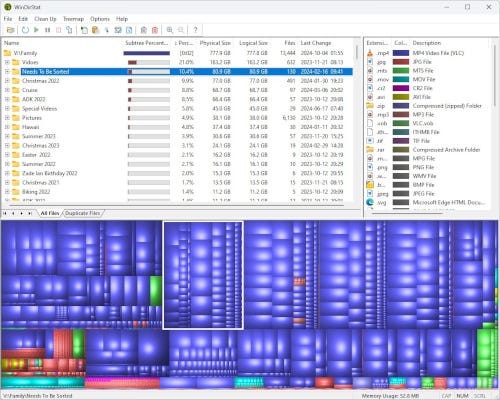
Linux (Baobab - Graphical Disk Usage)
This is a GNOME utility that works similarly to WinDirStat and is very fast. To install it in Ubuntu, run this command:
sudo apt update
sudo apt install baobab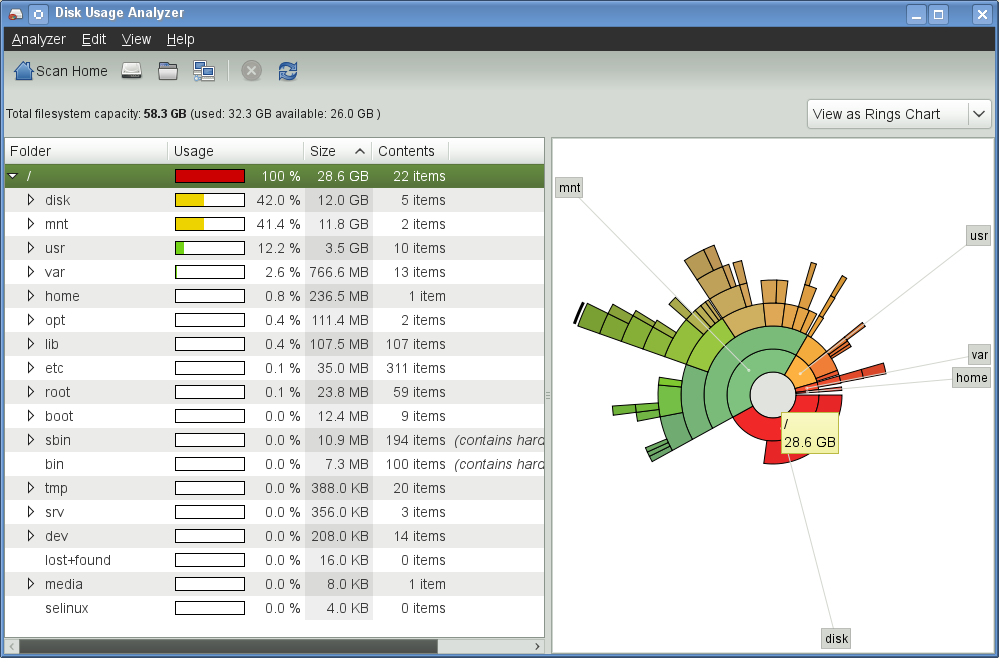
Command Based
Windows (PowerShell)
Open up PowerShell and run this command:
Get-ChildItem -Directory | ForEach-Object {
    $size = (Get-ChildItem $_.FullName -Recurse -File | Measure-Object -Property Length -Sum).Sum
    [PSCustomObject]@{
        Folder = $_.Name
        SizeGB = “{0:N2}” -f ($size / 1GB)
    }
} | Sort-Object SizeGB -Descending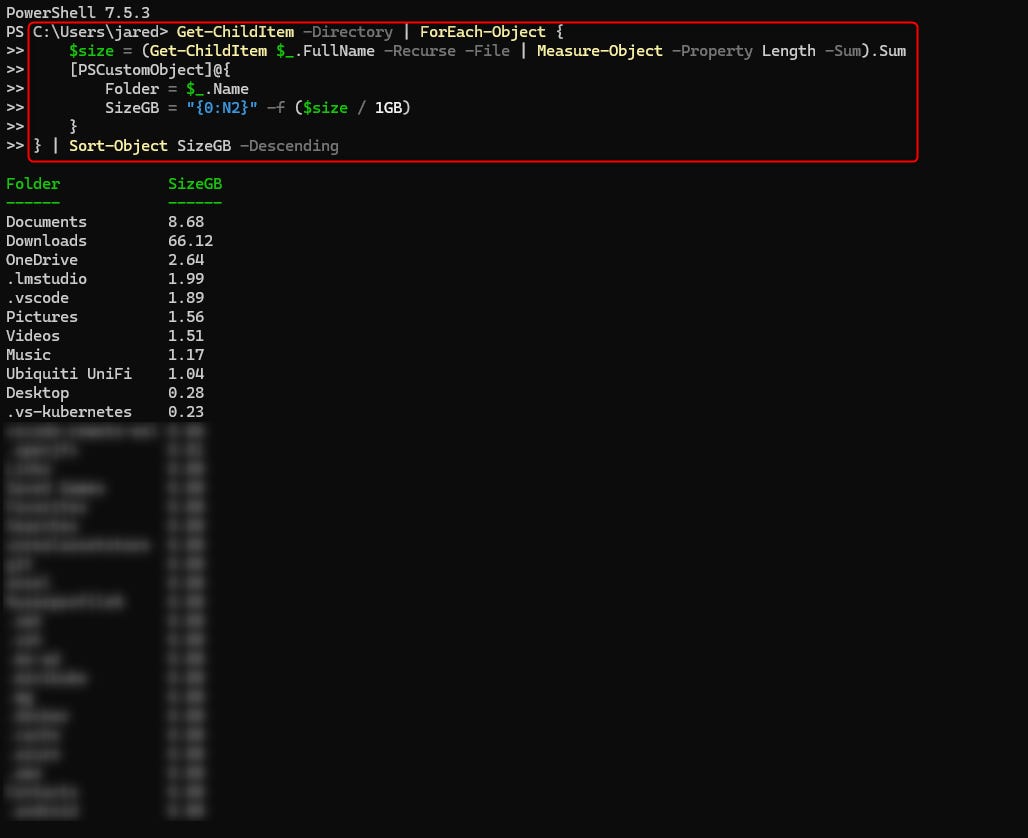
Linux
There is a small but powerful command called “du” on Linux that serves a similar purpose. With a little “piping” magic, we can even sort the directories based on size, which can really help you focus on those large folders. In my opinion, it is much easier to use than the Windows option.
The command to use is:
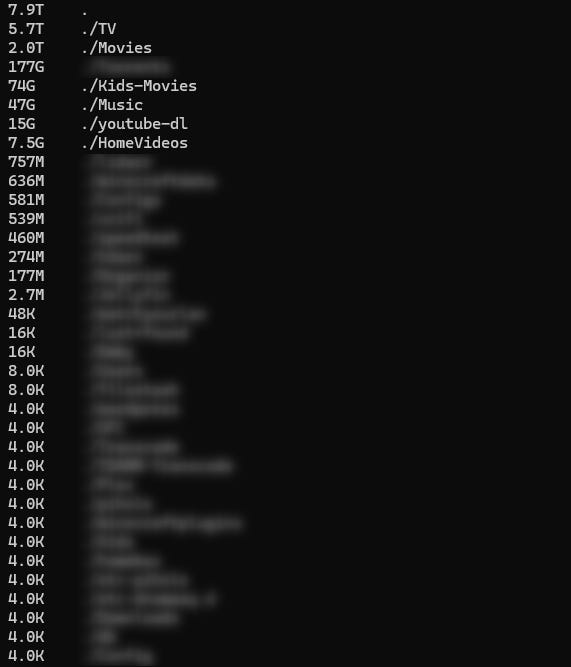
du -h --max-depth=1 | sort -hrThis command displays all folders in the current path in your console and shows you the size of each folder. This command returns the info almost instantly.
Example:
As you can see in my example, in my current path, all files and folders take up 7.9 terabytes of space. The subfolder TV contains 5.7 Terabytes of content, including 2 Terabytes of movies and 74 Gigabytes of Kids' Movies, among other items.
With command utilities like this, it really allows people to manage data quickly and easily without a graphical environment!